On this page
People ask me this question more than almost any other: "Should we build our app in React or Next.js?" It usually comes from a founder who has been reading for two hours and is now more confused than when they started. The internet talks about these two tools like they are rivals. They are not.
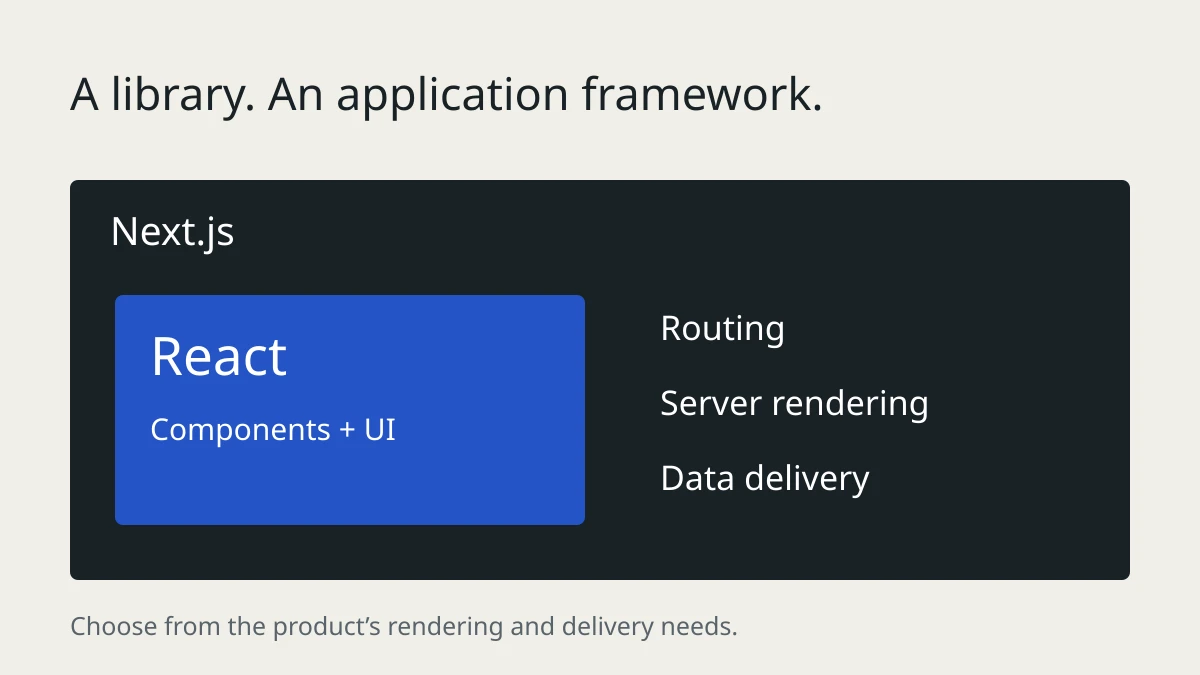
Here is the short answer. React is a library for building user interfaces. Next.js is a framework built on React that adds routing, rendering options and other application conventions. Asking "React or Next.js" is a bit like asking "engine or car". One is inside the other.
But the short answer is not enough to make a good decision for your project, so let me walk you through how I actually choose, using the same reasoning I use with my own clients.
What React actually gives you
React does one job extremely well. It takes your data and turns it into what people see on the screen, and when the data changes, it updates the screen efficiently. That is the whole pitch. Components, props, state, hooks, all of it exists to serve that one job.
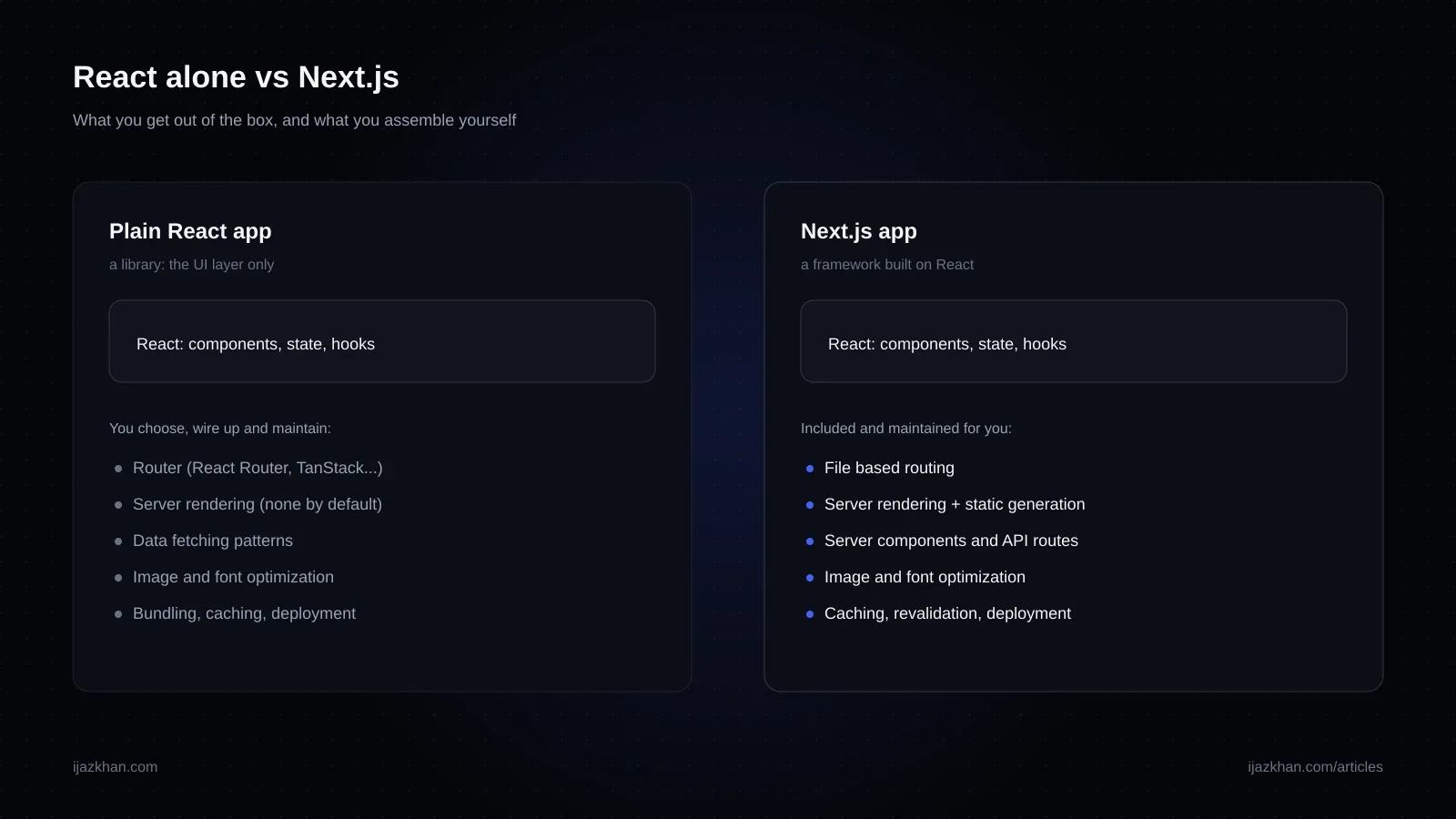
What React deliberately does not give you:
- A router. You add one yourself, usually React Router or TanStack Router.
- A rendering strategy. A client-rendered React app may send an HTML shell and build the page in the browser, while other tools can prerender or serve HTML.
- Data fetching rules. You pick your own pattern and hope the team follows it.
- Image handling, font loading, bundling and deployment choices. Your tooling can help, but you still need to choose and verify a setup.
None of that is a flaw. React was designed to be the view layer and nothing more. But it means "we built it in React" really means "we built it in React plus eight other choices someone on the team made", and the quality of those eight choices is what decides how the project feels a year later.
What Next.js adds on top
Next.js takes React and supplies conventions for many of those choices. The defaults can save time, but the application still needs careful implementation.
- File based routing. You create a folder, you get a page. No router library, no route config drift.
- Server rendering and static generation. Pages can be rendered on the server or built ahead of time, so browsers and search engines get real HTML, not an empty div waiting for JavaScript.
- Server components and API routes. You can talk to your database from the same codebase, without maintaining a separate Express app for simple backends.
- Image and font tooling. Built-in components can help, but you still need correct sizes, priorities and asset choices. A framework does not fix every performance problem for you.
- Caching and revalidation. Pages can be static for speed but refresh themselves on a schedule. This site you are reading uses exactly that.
The price you pay is that Next.js has opinions. You do things the Next.js way, and when the framework changes its mind between major versions, you follow along. That is a real cost and I am not going to pretend otherwise.
The question that actually decides it
Forget features for a second. The deciding question is this: does your app live at URLs that strangers and search engines need to find, or does it live behind a login?
If your product has public pages that should be discovered through search, make the important content available in crawlable HTML. Server rendering or static generation is a useful way to do that. Google can render JavaScript, but content that only appears after client-side rendering adds another dependency to crawling and can be harder for other bots to access. Next.js supports server and static rendering; it is one good option, not the only one.
If your product lives entirely behind a login, a dashboard, an internal admin tool, a trading interface, then SEO is irrelevant. Nobody googles their way into your settings page. Here plain React with Vite is a completely respectable choice, and it is simpler in ways that matter: no server to think about, a plain static bundle you can host anywhere, and a fast local dev experience.
That question narrows the options, but team skills, hosting, interaction patterns and maintenance still matter.
How I decide, case by case
Here is the table I effectively run in my head at the start of every project.
| Your situation | My pick | Why |
|---|---|---|
| Marketing site, blog, or content site | Next.js or another static/server-rendered option | Crawlable HTML and manageable editing matter more than the framework name |
| E-commerce | Depends on platform and catalog | Product pages should be crawlable, usable and fast on mobile |
| SaaS with public pages and an app behind login | Next.js | One codebase handles both worlds well |
| Purely internal dashboard or admin tool | React + Vite | No SEO need, simpler hosting, fewer moving parts |
| Mobile app companion (React Native exists) | Either | Decided by the web part's SEO needs, not the mobile part |
| Widget embedded in other people's sites | React (or Preact) | You are shipping a component, not a site |
| Landing page only, no app | Next.js or even plain HTML | Do not overbuild a five page site |
Notice that "how big is the project" is not in the table. I have seen tiny sites that genuinely needed Next.js and huge internal platforms that were better off as plain React. Size does not decide this. Audience does.
The mistakes I keep seeing
After several years of building and rescuing projects on both, the same mistakes come up again and again.
Building a public product without a rendering plan. A client-rendered app can be indexed by Google, but it may make discovery and debugging harder. If search matters, decide how important pages will deliver crawlable content before the codebase grows. That could be Next.js, another framework, static generation or a separate content site.
Using Next.js like it is plain React. The opposite mistake. Teams adopt Next.js, then mark every component with "use client", fetch all data in the browser with useEffect, and wonder where the benefits went. If everything is client side anyway, you took on the framework's complexity and threw away its advantages. Server components do the data work on the server. Let them.
Choosing based on hiring fear. "We picked plain React because it is easier to hire for." React skills transfer, but Next.js also introduces server/client boundaries, caching and deployment behavior. Budget time to learn and test those parts rather than assuming an automatic transition.
Rewriting a working app to switch. If you already have a plain React app behind a login and it works, leave it alone. The rewrite will cost months and your users will not notice a thing. Put a Next.js site in front of it for the public pages if you need SEO, and let the two live side by side.
What about performance?
People assume Next.js is automatically faster. It is not. Either approach can be fast or slow depending on what you ship and how you measure it.
A well-built Vite React app can be quick. A client-rendered page may need JavaScript to load before its main content appears, which can be noticeable on slower devices or connections. Measure the actual user experience rather than assuming a fixed delay.
Next.js can deliver prerendered HTML, stream parts of a page and serve static pages through a CDN. Those options are useful, but they do not guarantee a good Core Web Vitals result. This site's performance still depends on its images, scripts, animation and hosting; I test those separately.
One honest caveat in the other direction: for a long lived, highly interactive session behind a login, the app you use for eight hours a day, the difference mostly disappears after the first load. That is exactly the case where plain React remains a fine answer.
What about cost and hosting?
A client-rendered React build can be deployed as static files. Hosting is often simple, though APIs, authentication and external services can still fail.
Next.js can run on managed platforms or a compatible Node deployment. Rendering and caching choices affect hosting cost and operational work. Compare those costs against the actual traffic and product requirements; static generation can help when pages do not need per-request data.
So what should you actually do?
If you remember one thing, make it this: public content needs a crawlable delivery plan; private tools give you more freedom to choose the simplest stack.
If you are still unsure, ask where visitors come from and which pages need to be searchable. A mixed product can use Next.js for both public pages and an app, or keep a separate public site alongside an existing client-rendered tool. Choose the arrangement your team can maintain.
And if you are staring at an existing codebase wondering whether it is set up right, that is a conversation I have with people regularly. Take a look at what I build, or just get in touch and tell me what you are working on. I am happy to give you a straight answer, even if that answer is "leave it exactly as it is".
Quick answers
Is Next.js better than React? Wrong framing. Next.js is built on React. The real question is whether its rendering and application conventions fit your product, team and deployment constraints.
Can I use React without Next.js? Yes, and for internal tools behind a login it is often the simpler choice. Pair it with Vite and a router and you have a solid stack.
Is Next.js overkill for a small site? Sometimes. A five page brochure site can be plain HTML or a static generator. But Next.js static export handles small sites well, so it is rarely a bad pick, just occasionally an unnecessary one.
Do React developers need to relearn everything for Next.js? Existing React skills remain useful. Next.js adds routing conventions, server/client boundaries, data-loading and caching behavior that require deliberate learning and testing. The onboarding effort depends on the developer’s experience and which features the product uses; it is not a fixed number of days.
Which one do you personally use? Next.js for anything public, including this site. Plain React with Vite for embedded widgets and some internal tools. The pattern in this article is genuinely the one I follow.
Need this built?
These services can turn the ideas in this article into production software.