On this page
Adding AI to an existing SaaS is a product-integration project, not just a model API call. Start with one workflow, the information it may use, the actions it may take and the evidence you will accept before launch. A narrow, reviewable feature is easier to estimate and evaluate than a general assistant expected to do everything.
This guide is for founders and product teams considering AI inside a working application. The examples below are proposed planning exercises, not client results, delivery promises or advertised prices.
Choose a task before choosing a model
Write the feature as a user action: “A support teammate prepares a draft response using approved help content,” not “We need an AI chatbot.” The first description identifies a user, an input, a useful output and a place for review.
Ask what currently makes that task difficult. Is information scattered? Is repetitive writing taking time? Does a user need to compare documents? Some problems are better served by search, templates or ordinary application logic. AI should have a reason to exist beyond being present in a competitor’s product.
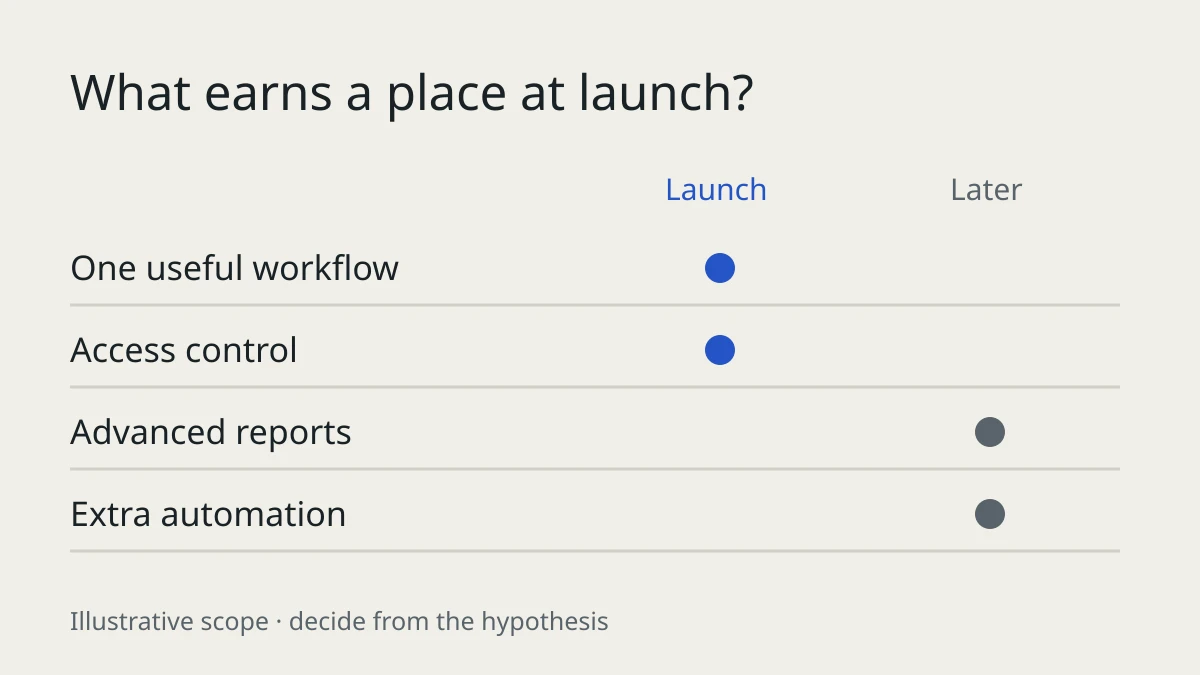
For a first release, define one entry point and one result. Decide what remains outside scope: billing changes, account administration, clinical decisions or unrestricted access to customer records. A smaller permission surface is also easier to explain to users.
Decide what information the feature can use
An assistant answering product questions needs maintained source material. A rewriting feature may only need the text the user supplies. These are different data flows and should not receive the same architecture automatically.
For each source, record its owner, permitted audience and update process. Public help content, private organization documents and personal uploads must not become one undifferentiated knowledge pool. Your application should determine which records a person may retrieve before those records are sent to a model.
Retrieval-augmented generation, or RAG, supplies relevant source material to the model. It can improve grounding, but it is not proof that every answer is correct. Decide how the feature behaves when sources are absent, conflicting or outdated: ask a question, show the limitation or offer a human contact path instead of inventing an answer.
Separate an answer from permission to act
A draft email and a sent email are different product states. So are a suggested subscription change and an applied change. Make the distinction visible in both the interface and backend.
A useful first workflow is: prepare a proposal, show the complete details, let the user confirm and then execute a validated operation. Check the person’s permissions again when executing. Confirmation should identify the action actually being authorized, not simply offer an ambiguous “Continue” button.
Treat uploaded documents and retrieved text as untrusted input. OWASP documents how instructions inside external content can influence a model, and notes that retrieval does not eliminate this risk. Keep credentials and authorization in application code, limit available actions and require review for consequential operations. See OWASP’s prompt-injection guidance.
Model-generated fields also require validation before reaching application functions. Do not execute generated commands or database queries directly. OWASP’s output-handling guidance explains why downstream validation and context-appropriate encoding matter.
Define how you will judge the first release
A demo usually demonstrates selected successful inputs. A release decision needs representative inputs, missing information, failed requests and misuse attempts.
For an illustrative support-drafting feature, agree checks such as these:
| Situation | Behavior to evaluate |
|---|---|
| Answer exists in approved help content | Draft reflects the source and provides a usable reference |
| No source answers the question | Feature explains the gap rather than making a policy up |
| Document belongs to another organization | Application does not retrieve or expose it |
| Source contains instructions to ignore rules | Feature does not gain access or execute an unauthorized operation |
| Provider fails or the request times out | User sees a recovery path and retains their input |
| User confirms an action twice | Application prevents duplicate execution |
| Long response on a phone | Text and controls remain readable and reachable |
Choose acceptance thresholds with the product owner before testing. Review serious failures individually; an acceptable average can hide a dangerous permission failure. Repeat evaluation when changing prompts, source material or models. Google’s safety and factuality guidance recommends application-specific risk assessment, testing and continued monitoring rather than assuming provider filters are sufficient.
Budget for the workflow, not only tokens
The estimate should cover source preparation, permissions, integration, interface states, evaluation, release and handover. Provider usage is another cost, but not the entire project.
To explore operating cost, list expected requests, typical input size, output size and any retrieval, storage or tool charges. Apply the current provider pricing to those assumptions, then test them with a limited pilot. Retries and longer-than-expected context can change the result. Set request limits and usage alerts appropriate to your product.
Avoid accepting a universal promise about cost or delivery time before the sources, actions and acceptance criteria are known. Ask for explicit assumptions and exclusions. A provider interface can reduce coupling, but changing models still requires checking behavior, tool support, data handling and quality.
Roll out with a fallback and an owner
Begin with a limited audience and a feature switch. Keep the existing workflow available where practical. Decide who reviews feedback, who updates the source material and who can disable the feature if it causes problems.
Monitoring should reveal errors and usage without becoming an uncontrolled archive of private inputs. Document what is processed, what is retained, by which provider and for what purpose. Avoid asking users to supply secrets in feedback or initial discovery messages.
Bring this brief to an integration conversation
Prepare five things: the user and task, one representative non-sensitive input, the desired result, the allowed sources/actions and how you will accept the work. Include your existing stack and the current workflow you want to preserve.
My DentaSmart case study describes my backend, web application, subscription and AI-integration responsibilities within Zigron Pakistan. It is relevant implementation scope, not a claim that your feature will achieve the same business outcome.
If you already have an application, describe the AI workflow you want to add. You can also review my AI integration service, backend engineering service and project-brief guide. Share the problem and current stage—not customer data, credentials or confidential documents.
Need this built?
These services can turn the ideas in this article into production software.