On this page
Somewhere in the last two years, "should we add a chatbot" quietly changed from a question about those clunky rule-based popups everyone hated into a question about real AI assistants that can actually read your content and answer like a person. The technology crossed the usefulness line. The sales pitches crossed several other lines, and now every business owner is being told by someone that an AI chatbot will double their conversions.
I build AI features, and I run an assistant on this website. Here is the version without the sales pitch: what an assistant can help with, what it cannot fix, and how I would decide whether one is worth building.
What changed, in one paragraph
The old generation of chatbots were decision trees wearing a face: press 1 for pricing, press 2 for support, and anything off-script produced "Sorry, I didn't understand that". The new generation is built on large language models plus a technique called retrieval, where the assistant looks up relevant pieces of your actual content, your services, your FAQ, your policies, and answers in natural language grounded in what it found. Done properly, it is less like a phone menu and more like a well-briefed junior employee who has read everything on your site and never sleeps. Done improperly, it is a confident liar wearing your logo, and we will get to that.
What a good one actually does for a business
Strip away the hype and there are four jobs a website assistant can genuinely do well.
Answer the questions your visitors actually have, instantly. Most visitors arrive with two or three specific questions, and every one they cannot answer quickly is a reason to leave. "Do you work with clients in my industry? What does something like this cost? How long does a project take?" A grounded assistant answers at midnight, in the visitor's own words, without them hunting through your pages. That is the core value: fewer visitors bouncing off unanswered questions.
Offer a clear next step. A useful assistant can answer a visitor's questions, then make it easy to send an inquiry or book a conversation. The assistant on this site points visitors toward the contact flow when that is useful. I would not claim it produces better leads without comparing actual inquiries and outcomes.
Help with repetitive questions. If your inbox repeatedly receives the same questions about setup, pricing or policies, an assistant grounded in current help content may answer some of them. Measure what it resolves accurately, what it escalates and whether support workload actually falls. Do not assume every answer is correct or every ticket is deflected.
Reveal unanswered questions, if you design for it. With clear notice and a justified retention policy, aggregate question categories can show where your content is unclear. You do not need to keep complete private conversations to learn that visitors repeatedly ask about a service or price. My site does not store full chatbot transcripts in its database.
What it will not do, and the failure that makes headlines
An assistant will not fix a weak offer, rescue a confusing website, or conjure demand that is not there. It multiplies the traffic and content you already have; multiplied zero is zero. If your site gets forty visitors a month, fix that first, and I have written about where those fixes usually start.
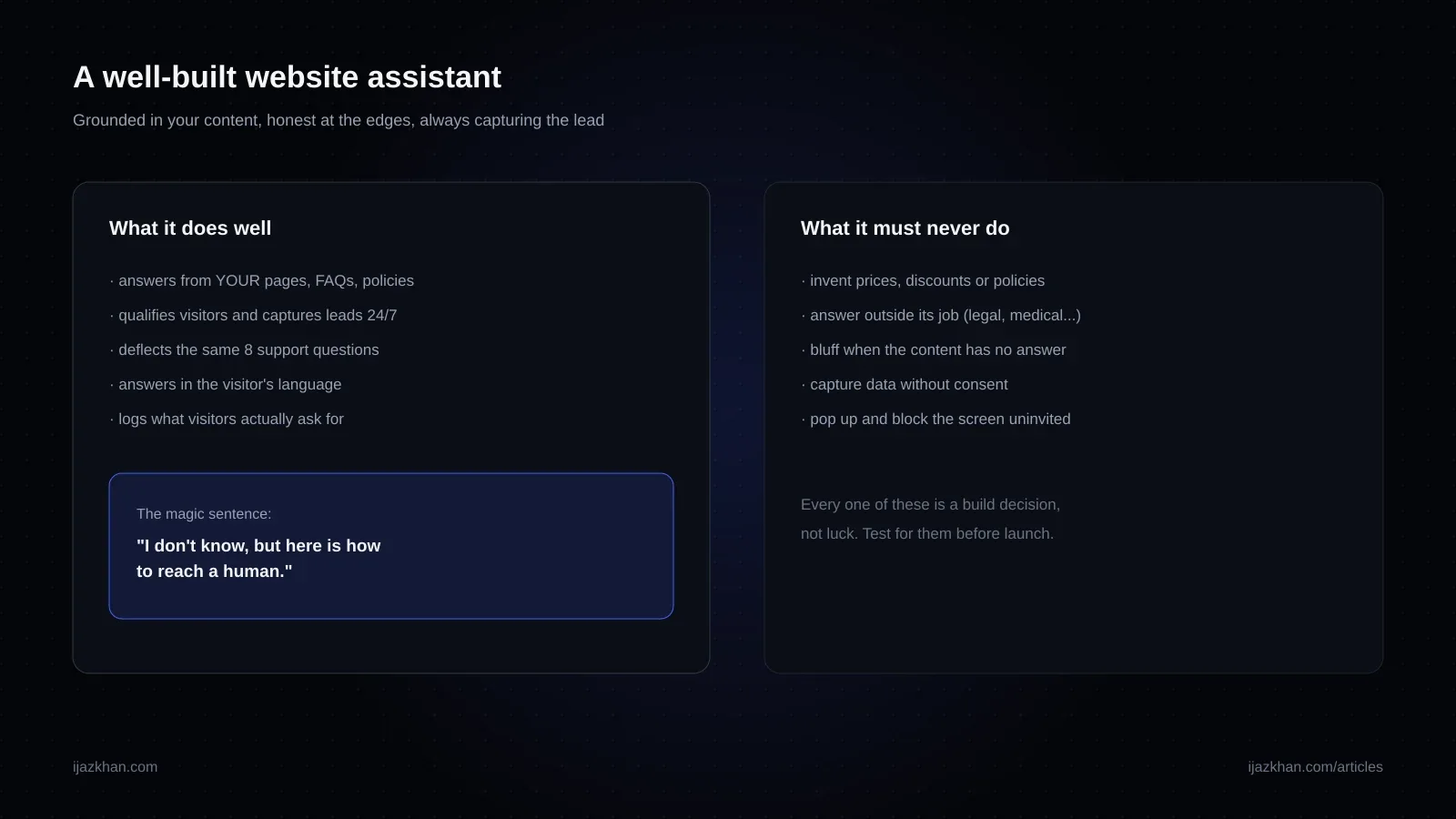
The failure mode that matters more is hallucination with your name on it. A language model can produce a fluent, plausible but wrong answer. On your website, that could mean an invented discount, a policy you never wrote, or a delivery promise you cannot keep. This is a reason to define and test the assistant's limits:
- Grounding, strictly. The assistant answers from your retrieved content, and when the content does not contain the answer, it says so and routes to a human. "I don't know, but here's how to reach Ijaz" is a feature, not a failure.
- A bounded job. It represents your business; it does not answer general trivia, give legal advice, or discuss your competitors. Guardrails in the system's instructions, and tested.
- No invented commitments. Pricing, delivery promises and policy statements come only from your actual content, or route to a human.
- Escalation as a first-class path. The measure of a good assistant is not that humans are never needed, it is that the handoff to a human is smooth and loses nothing.
- Privacy taken seriously. Consent for data capture, no sensitive data in prompts sent to third parties, retention rules for transcripts. Boring, essential, frequently skipped.
If a vendor demo never once says "I don't know", that is not confidence, that is the bug you will meet later in a screenshot.
What this costs in 2026, honestly
There are three tiers, and honest vendors will place themselves accordingly.
Off-the-shelf SaaS widgets: a possible starting point for straightforward questions about published content. Compare current vendor plans, usage limits, source controls, lead-capture behavior, accessibility and data handling. Test your own questions before choosing; setup effort and capabilities vary, and a subscription is not evidence of reliable answers.
A custom assistant on your own stack: retrieval over approved content, your tone, a route to your inbox or CRM, guardrails and evaluation. Cost depends on scope, integrations, usage, privacy requirements and support. This is the approach used on this site, though it does not store full conversations in the database.
Deep integrations: the assistant can act, not just answer, such as checking order status or booking against a live calendar. That requires permissions, identity checks, auditability and failure handling. Ask for an estimate tied to the actual workflow rather than assuming a universal price tier.
Match the approach to the job: compare a suitable hosted tool with a custom build against the same requirements. Source-content quality matters in either approach. Review missing, outdated or contradictory FAQs and policies before implementation, then evaluate whether the assistant answers accurately from the approved sources. Better content is useful preparation, not a guarantee of a particular business result.
Should your site have one? A short test
Answer these honestly.
- Do you have enough relevant traffic or repeat support volume to learn from? If neither, improving the offer, content and acquisition may matter more.
- Do visitors have questions they cannot instantly answer on your pages? Look at your contact form submissions and support inbox for the evidence.
- Is there a next step worth capturing, a quote, a booking, a signup, that visitors currently take only if they find and fill your form?
- Do you have, or will you write, solid content for the assistant to stand on?
If the answers are mostly yes, test a limited version and compare real outcomes against the cost. If they are mostly no, fix the underlying content or traffic first. A questionnaire cannot guarantee return on investment.
You can try the assistant on this site, ask about my services, and see whether its answers point to relevant pages. Treat that as a demonstration of the interaction, not proof of accuracy or conversion results. I still review failures and update its sources.
How a build actually goes
For the custom tier, a realistic project looks like this. A content pass first: gathering and often improving the pages, FAQs and policies the assistant will draw from. Then retrieval and grounding, wiring the model to search that content and stay inside it. Then behavior: tone, guardrails, the lead-capture flow, the escalation path. Then evaluation, the step that separates products from demos: a test set of real questions, including hostile and off-topic ones, run against every change. Then launch to a limited audience and review appropriately permitted feedback and evaluation results. Do not retain full conversations by default: define a purpose, permissions, access controls and retention policy first. Scope, data readiness and the required integrations determine the timeline; agree it after discovery rather than assuming a fixed number of weeks.
If that loop sounds familiar, it is because it is the same discipline as every good AI feature; I have written a deeper technical version in the roadmap for adding an AI assistant to a product with practical steps for planning, grounding and evaluating the assistant.
Building these is part of my AI integration work. If you are weighing an assistant for your site, describe the workflow, available sources and intended users. We can assess a hosted tool, a custom integration or improving the underlying website first, with explicit assumptions and acceptance criteria.
Quick answers
Will a chatbot annoy my visitors? An auto-opening, screen-blocking one may. A small, optional assistant is less intrusive, but test it on mobile and let visitors close it easily. Interaction design matters as much as the model.
Can it answer in multiple languages? Often, but quality varies by language and topic. Test the languages your visitors actually use, including whether the source content supports the answer.
What about my existing live chat with humans? Keep it. The assistant handles nights, weekends and repetition; humans handle judgment and complexity. The best setups treat the assistant as the first responder with a graceful handoff, not a replacement.
Is my data safe with these systems? It depends on the provider, implementation and retention policy. Ask what data is sent to the model, whether it is stored, who can access it, how long it is retained and how a visitor can contact you without sharing sensitive details.
How do I measure whether it is working? Track relevant inquiries or bookings, answer quality on a test set, human escalations and operating cost. If you analyze real conversations, do it only with an appropriate notice and retention policy; aggregate categories may be enough.
Need this built?
These services can turn the ideas in this article into production software.